
Staring at Your Own Face All Day, and Spent by 3 p.m.
Here's a hypothetical. "Nid" leads a design team. On Tuesday she has five video calls back to back, with five-minute gaps she uses to answer chat. Her camera is on for every one, because the team agreed to that when they started working from home. She sees her own face in the corner of the screen all day, her shoulders are stiff, and she scrolls through slides without hearing the last sentence the speaker said.
At 3 p.m. she still has a client call, but her mind is empty enough only to nod. The design work that needs her eyes gets pushed to the night. The cause isn't that design got harder. The cause is the way of talking she has used all day.
The symptom is commonly called Zoom fatigue, but that name shouldn't point a finger at any one product. This article uses the term video call fatigue, the tiredness from talking over video, which can happen with any tool that puts faces on a screen for long stretches.
Four Reasons Video Calls Make You Tired
A Stanford Report article of 23 February 2021 covered the work of Jeremy Bailenson of the Virtual Human Interaction Lab. He identified four factors in long video conversations and said clearly that the goal is not to blame any platform. He uses these tools himself. His point is that the format of the medium can be tiring, even though the news coverage named the phenomenon after Zoom because that is what people commonly call video meetings.
The four factors are as follows.
- Eye contact at too close a distance. In a real meeting room, people look at the speaker some of the time and at their notes some of the time. On a video call everyone is looking at everyone all the time, and in some layouts the faces are large enough that the brain reads them as the distance of an intense conversation. He suggests shrinking the window rather than going full screen, and using an external keyboard to add distance.
- Seeing your own face the whole time. It is like having someone follow you with a mirror all day while you are talking about work. Research he cites found that seeing your own reflection makes you more self-critical. A short-term fix is to hide your self-view once you have framed the shot.
- Limited movement. The camera has boundaries, so people sit unnaturally still. He suggests placing the camera so you can walk or move a little, and turning your video off for periods to rest from sending physical signals.
- Higher mental load. A nod or a raised finger has to be bigger than normal, because small signals are hard to read on a grid, and a glance elsewhere is easily misread. He suggests having stretches that are audio only, and turning your body away from the screen for a moment, not just switching the camera off while still staring at everyone else's image.
These four are a psychological framework drawn from analysis of the medium, not the result of a physical exam of any particular employee.
A Ten-Minute Break in a Small Experiment, and the Late-Afternoon Slump
Microsoft published brainwave research on 20 April 2021. Researchers had 14 participants wear EEG devices during video calls. One day was four back-to-back half-hour meetings. The other day was the same four meetings, separated by ten-minute breaks spent meditating through an app. In the back-to-back meetings, beta wave activity, which they link to accumulating stress, kept rising. With breaks, that activity dropped, which they described as a reset before the next meeting.
This is a small experiment with 14 people, and the activity during the breaks was set to be meditation so the data could be compared. It shouldn't be read as saying everyone must meditate, or that a ten-minute break erases fatigue for the whole day. What you can take from it is that back-to-back meetings with no chance to get up have a measurable effect even in a small sample, and the authors recommend that a five- or ten-minute break not be filled with another task.
Slack's Workforce Index, published on 5 December 2023 from 10,333 office workers in six countries, found that 71% agreed late afternoon is the time they work worst, with productivity dropping between 3:00 and 6:00 p.m., and half said they rarely or never take a break during the day. If demanding meetings are stacked in this window, video fatigue and body-clock fatigue pile on top of each other.
Ways to arrange your day with thinking time and a finishing time are in working from home productively. Ways to shorten the meetings you still need are in effective online meetings. Designing training so it isn't one long listening session is in running online training.
What a Team Can Change This Week
- Shorten back-to-back meetings so there is a gap of at least ten minutes, and don't use that gap to schedule another meeting.
- Make hiding self-view the team default, once the framing has been checked.
- Agree that internal meetings have cameras on only at the start and when making decisions.
- Move updates that can be written into text, to cut the number of video blocks in the day.
- Don't put a hard decision meeting after 3 p.m., if it can be moved.
Short Voice Chats Instead of a Long Meeting for Everything
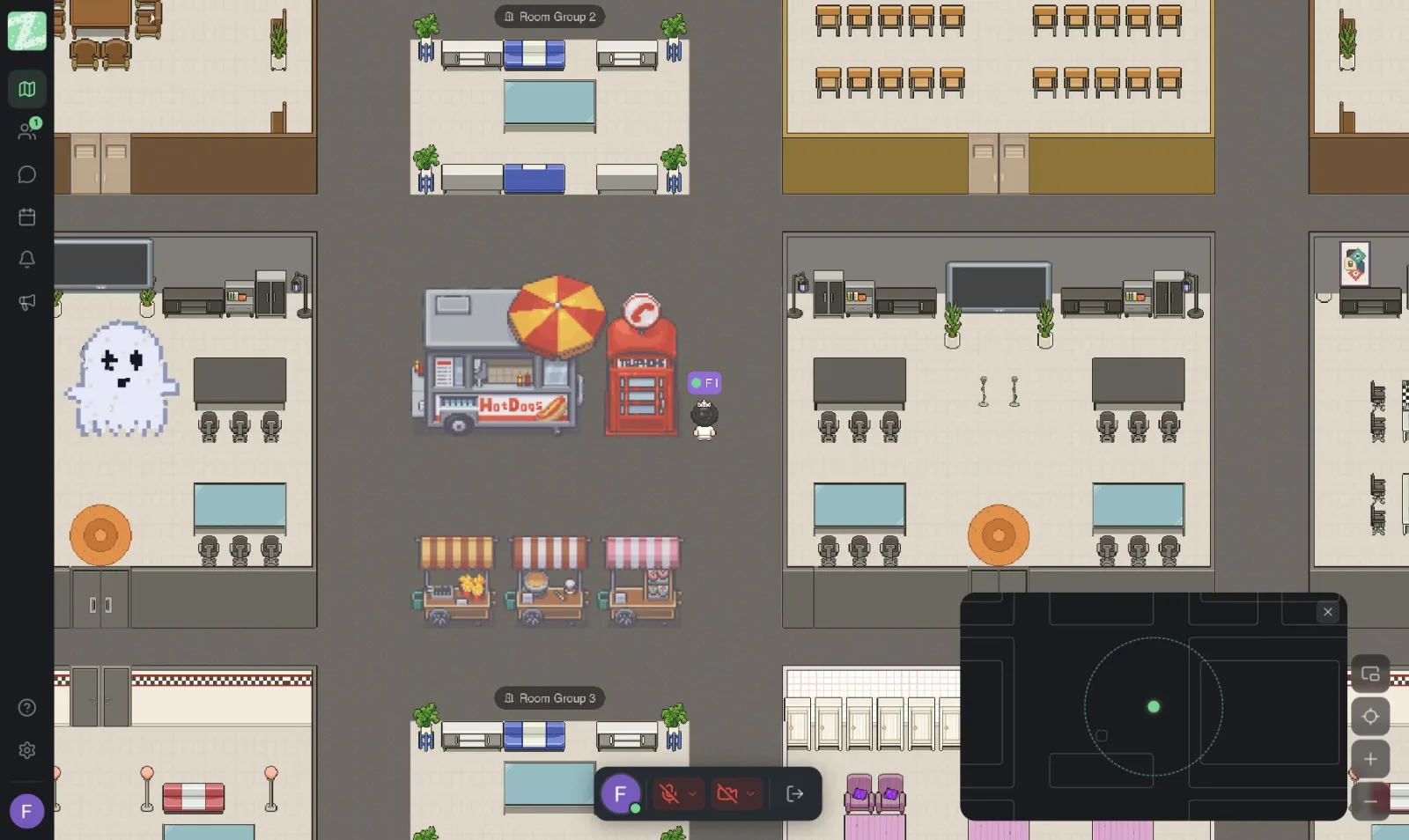
Zyra World lets you talk by voice based on distance, without keeping cameras on the whole time. When you walk your avatar close to a teammate, a short conversation happens and ends, and people can move to another corner instead of being pinned in a grid of faces for an hour. Larger meetings with an agenda and outside guests can stay in Meet as before.
An office that stays open all day therefore reduces the number of times you have to set up a video call for a thirty-second matter, which is a chunk of fatigue that often goes uncounted. For an overview, read online office.
Google Meet Is Still the Place for Scheduled Meetings, Not a Cause to Abandon
Google Meet is a good meeting tool for scheduled meetings with a start and end time. The fatigue Bailenson describes is a property of long video calls stacked in several blocks, not a defect of any one brand. So the fix isn't to move the same meetings to another app and keep the camera on for just as long.
Use Meet when it is a real meeting, use the ten-minute break to get up from the screen, and use Zyra when it is a case of walking over to ask a question in the office. All three can coexist in one day.
Rearranging a Day Without Dropping Every Meeting
Suppose Nid's Wednesday used to have five blocks, from 9 a.m. to 4 p.m., one hour each, back to back. The new day doesn't have to have zero meetings. It has three that make sense, and room for work that needs her eyes.
From 9:00 to 9:25 is for confirming what has already been written in the thread, not for reading out status live. People with nothing to decide don't need to attend. The next ten minutes are for getting up from the screen, not answering chat. The 11:00 slot is the client call on the meeting tool, the block that should be video because there are outside people and things to point at on screen. Hide self-view after framing, then take another ten-minute break before lunch.
The afternoon is desk time, with no meetings until 3:30. The two internal meetings she used to have can become a walk over to ask in the open office, or a written thread if the other person is focused. At 3:30 there is one last twenty-five-minute decision meeting, and the day ends without being extended by a 5 p.m. meeting, which falls in the window where the Workforce Index found most people work worst.
Compare the number of minutes with the camera on in the old day and the new one. The goal isn't zero. The goal is that the camera is used when it really helps, and the rest of the time is voice conversation or writing, which tire people in a different way.
Check Tomorrow's Calendar Before Adding Another Meeting
Count the video blocks. If meetings run back to back without a ten-minute gap, move or shorten one. Hide your self-view in the first meeting of the day as an example, and tell the team they may turn their cameras off when they aren't speaking.
If you want to cut meetings that exist only to ask something short, you can open an office in the browser with Zyra, for teams of up to 25.
Start Using Zyra Free for Teams of up to 25
Frequently Asked Questions
What is video call fatigue?
It is the tiredness from talking over video for a long time or across several back-to-back meetings. It isn't limited to any one product. Stanford's 2021 work points to four factors: eye-contact distance, self-view, limited movement, and the effort of sending signals.
Are Zoom fatigue and video call fatigue the same thing?
News coverage often says Zoom fatigue because the name is catchy. Bailenson stated that he did not mean to blame any platform. This article therefore uses the neutral term video call fatigue, and the fixes apply to video meetings in general.
Is a ten-minute break enough?
In Microsoft's small 2021 experiment with 14 people, a ten-minute break between half-hour meetings was associated with stress, as measured by brainwaves, not building up the way it did in back-to-back meetings. Don't stretch the result beyond that sample, but leaving a gap without cramming work into it is something you can do right away.
Does turning the camera off look like not paying attention?
It depends on the rule the team has set. If you agree that cameras are on only at decision points, turning the camera off is a rest, not a disappearance from the work. The work delivered is still the measure.
Can you cut fatigue without cutting work conversations?
Yes, by moving small matters to short voice chats in an office that stays open, and keeping video calls for meetings that have an agenda. The conversation doesn't disappear. The heaviest format just isn't used for everything.
Try Zyra with your team
Free for up to 25 members. It runs in your browser, so there is nothing to install.