
This article is a practical checklist for owners of small businesses, HR staff, and people who handle IT on the side. It is not legal advice, and it does not guarantee that following it will bring you into compliance with every legal requirement.
Links That Keep Getting Forwarded, and Ex-Employees Still in the Group
A hypothetical: "Oat" handles both sales and the computers at a ten-person company. He once sent a client meeting link to a group that included current staff and someone who had left the month before, because the name hadn't been removed yet. The link was then forwarded on to a subcontractor, with no password.
In another case, a customer list sat in a private chat among three people, in the personal drive of someone who had resigned, and in an email someone had sent to themselves. On the day Oat needed to work out who held what data, he spent the whole afternoon on it and still didn't have the full picture.
For a small team working from home, the risk is rarely a break-in like the ones in big news stories. It is links nobody controls, access rights that were never revoked, and files with no main home.
Start With Online Meeting Habits
The UK's National Cyber Security Centre (NCSC) publishes guidance called How to secure your online meetings for small and medium-sized organisations. The page states that it was published on 19 March 2026. The advice you can read on that page and apply right away is:
- Use strong passwords that you don't reuse on other services.
- Turn on two-step verification, and use passkeys if the provider offers them.
- Update apps from trusted sources, and don't click links from ads or unknown messages.
- Let people who are verified or invited join directly, and have unverified people use the meeting password.
- Use a waiting room before entry, to check who is asking to join.
- Consider turning off calls from outside the organization and from unknown numbers or accounts.
- Don't post meeting links or codes in public. If someone joins whom you don't recognize, ask who they are before continuing.
- Check what is visible behind your camera, and use a blurred or image background if needed.
- Know where the mute, camera-off and "recording in progress" indicators are.
- Know where recordings, transcripts, in-meeting chat and shared files are stored.
- Watch for AI tools that join as participants, which may record or analyze what is said. Check what they store and whether they can be turned off.
- Check who has access to the data, and keep personal data only for as long as it is still needed.
This list comes from a UK agency and is not a set of Thai rules, but these are habits a small team can adopt without a full security department.
PDPA for a Team That Works From Different Homes
The Personal Data Protection Act B.E. 2562 (2019), known as the PDPA, is the Thai law on the personal data of customers, employees and people who deal with a company. The Personal Data Protection Committee Office (PDPC) is the agency responsible for it. Its official website is pdpc.or.th. This article does not cite section numbers or penalty amounts from that site, because we did not open the section-level pages while writing it, and adding details we haven't checked would not be appropriate.
What an SME owner can do without waiting for full professional advice: know where customer files are, avoid sending customer lists in private chats, and revoke access for people who no longer work for you on the same day. If your company holds sensitive data or has many customers, have a PDPA specialist look at your business case by case.
Zyra's own privacy policy is in the Terms and Policies. Read the policy of every product your company uses, not just the meeting tool's.
The National Cyber Security Agency (NCSA) is Thailand's national cybersecurity agency. Its home page at ncsa.or.th lists a cyber threat reporting line at 02-114-3531, available around the clock, and the email thaicert@ncsa.or.th. Keep these where the whole team can find them, rather than searching after an incident has already happened.
This Week's Checklist
- Count where customer files live. Write down how many places there are, pick one main location, and make the others intentional copies or delete them.
- Review the member list in every work group. Remove people who have left, partners whose contracts have ended, and trial accounts.
- Set up a waiting room for meetings with outsiders, following the NCSC guidance, and stop posting links in public posts.
- Turn on two-step verification for company email and file storage.
- Write down the employee's last-day steps. Who revokes access, and by the end of that same day? This list belongs in the handover process, not in the owner's memory.
- Ask whether meetings are being recorded automatically, including note-taking tools that join meetings in place of people, and decide where recordings are kept and who can see them.
Tracking work shouldn't turn into keeping screenshots of employees' screens all day. An approach that measures output instead of monitoring is in Track Remote Work Without Micromanaging.
What Zyra Does and Doesn't Do With Conversation Data
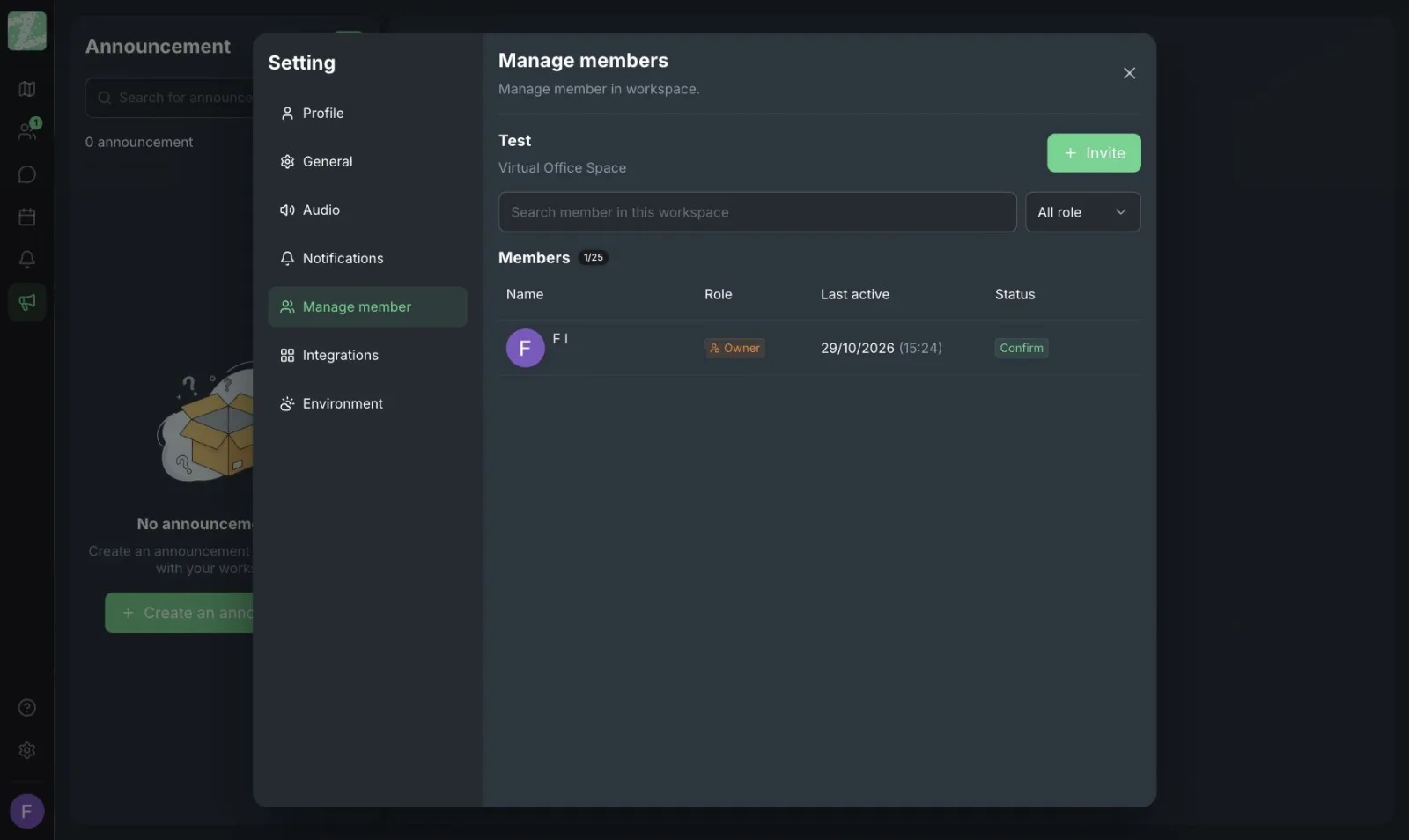
According to the policy Zyra has published, audio, video and screen sharing are sent live and are not recorded or stored. Core data is stored in Singapore, and Zyra does not sell data. You can invite people into a workspace by link or by email, and revoke access immediately when someone leaves the team.
This article does not vouch for any security certification, and it does not state that using Zyra makes a company compliant with the PDPA. Compliance depends on how your company uses its tools, including anything you record yourself outside the product. Read the policy on Zyra's legal page, and compare approaches to choosing a tool in How to Choose an Online Office. An overview of the space is in Online Office.
Google Meet Still Works for Meetings With Outsiders, If You Follow the Checklist
Google Meet is still a good fit for meetings that include people outside your organization, because the other side can open a link without entering your team's office. What has to go with it is a waiting room, not sharing the link in public, and knowing who is in the meeting. The NCSC guidance applies to Meet just as it does to other meeting tools.
Zyra is an internal office kept open during the day, for teams who have already been invited in. It is not a public link to paste in place of a waiting room. Outsiders who aren't members shouldn't keep access after a meeting ends. Use Meet for external meetings and Zyra for your team's working day. The two can sit side by side.
Keep the Departure List Short Enough to Actually Do
Write five lines saying who revokes email, file storage, chat groups and the workspace on the last day. Post it with HR, or somewhere the owner can follow it. A tool that can revoke access quickly only helps if someone is responsible for clicking the button that day.
Open a workspace you can invite people to and remove them from, in your browser, with Zyra. Teams of up to 25 can start for free. Using this tool is not a PDPA compliance review.
Start Zyra free for teams of up to 25
Frequently Asked Questions
Where does data most often leak in a small team working from home?
From links forwarded without a waiting room, from access that stays with people who have already left, and from customer files scattered across private chats. Start with these three before buying any new tool.
Does the PDPA prohibit working from home?
This article does not treat the personal data protection law as prohibiting working from home as a principle. What you need to look at is what legal basis you have and how you handle personal data when files leave the office. Treat the PDPC and specialists as the source for section-by-section answers.
Should every meeting be recorded in case we forget something?
A recording is another set of data, and you need to know where it is stored, who can see it and when it will be deleted. If there is no need to keep it, don't leave automatic recording on across the whole organization.
What should I do right away when someone has left but is still in a group?
Remove them from the group, email, file storage and workspace on the same day. Then check whether a permanent meeting link they may have seen has been regenerated.
Does using Zyra mean my company is PDPA compliant?
No. Zyra does not record audio, video or screen sharing, and does not sell data. But your company's compliance also depends on the data you keep yourself and on your own processes.
Try Zyra with your team
Free for up to 25 members. It runs in your browser, so there is nothing to install.