
A Full Calendar in the Morning, Work Still Stuck by Evening
A hypothetical: "Orn" leads projects at a 20-person software company in Bangkok. On Monday she has eight video meetings back to back, from 9 a.m. to 4 p.m. The first one starts 12 minutes late because people join at different times and nobody summarizes what was left open last time. Whoever joins late can't open the document in time and sits silent until the end. The second meeting has no agenda, only the words "work update" in the calendar. It runs for 40 minutes. Everyone nods, but nobody leaves with a task.
At 7 p.m., Orn opens her laptop again to do the work she should have done in the morning. She isn't angry at her team. She knows everyone is tired in the same way. What's missing isn't effort. It's the rules of the meeting, and a place for small questions that should never have been scheduled as video calls in the first place.
If this picture looks familiar, this article is about adjusting your online meetings so they end sooner and get work done, without changing the meeting tool your team already uses.
Why Do Many Meetings Still Leave the Work Stuck?
Microsoft's 2023 Work Trend Index surveyed 31,000 workers in 31 countries, including Thailand. It found that the number one drag on productivity was inefficient meetings, followed in third place by having too many meetings. Most people said that brainstorming in virtual meetings is hard (58%), that they can't catch up if they join late (57%), and that the next steps are unclear once a meeting ends (55%).
These numbers aren't only a foreign phenomenon. Teams working from different homes in Thailand often run into the same pattern: meetings held to give an "update" when a single message would do, while the things that actually need a decision have no owner.
The Harvard Business Review article "Stop the Meeting Madness" (2017) looks at it from the executive side. It reports that executives spend nearly 23 hours a week in meetings on average, up from less than 10 hours in the 1960s. The article is several years old, but the question it raises still holds: every meeting spends the time of everyone in the room, and if there is no outcome, the time spent doesn't come back.
The answer isn't to stop meeting altogether. Some work does need a live conversation. The answer is to tell apart what should be a scheduled meeting from what should be settled in two minutes without scheduling anything.
9 Ways to Run Effective Online Meetings
These work with Google Meet, Zoom or any other meeting scheduler. Your team doesn't need to change apps first. Just try two or three of them together this week.
1. No Agenda, No Meeting
GitLab, which works all-remote, states in its meeting guide that every meeting needs an agenda, and that a single shared, editable document should be attached to the invitation when the meeting is created. Their phrase is, in essence, "no agenda, no attendance." A good agenda isn't a broad topic like "talk about the project." It is a question that can be answered in the time booked, such as "Do we push back this client's delivery date, and who tells them?"
Put the document link in the invitation. People who join late can read it and catch up, so the whole room doesn't have to retell the story to one person.
2. Write the Desired Outcome on the First Line
Before you create the meeting, ask yourself what you will have in hand when it ends. The clear options are few: a decision, a list of options, or information that only the people in the room can supply. If the answer is "I want to give an update," write that update as a message and cancel the meeting.
The first line of the agenda should tell you when the meeting has succeeded or failed, for example: "Decide which cover image to use, within 15 minutes."
3. Every Agreement Gets an Owner and a Date
The gap Microsoft found, where 55% say it isn't clear what to do after a meeting, can be closed with three fields in the notes: what was agreed, the name of the person responsible, and the date it will be checked. Don't write "the team will look into it," because a team isn't a person. Only one person can do that piece of work.
Have someone take notes live, in the same document as the agenda, following GitLab's approach of capturing everything in real time. Don't wait for a polished summary after work. Summaries that arrive later tend to get lost, or get rewritten until the people who were in the room don't remember agreeing to that.
4. Shorten Meetings by Five or Ten Minutes
GitLab recommends the "speedy meetings" setting in your calendar, which creates meetings of 25 or 50 minutes instead of 30 or 60. The remaining time is for taking notes, stretching, and getting to the next meeting on time.
A 25-minute meeting can still hold the content of a 30-minute one if the agenda has been trimmed. People finish work within the time frame they can see, not within the buffer they were given.
5. Design for the People Who Join Late
In the 2023 Microsoft report, 57% said they can't catch up after joining late. This isn't only a matter of manners. Someone who joins late without context goes quiet, or asks questions that were already answered and breaks the room's rhythm.
Set up three safeguards: keep the agenda document open on the shared screen, have the note-taker keep a line such as "we are on item 2 right now," and don't recap the whole meeting for each late arrival. Point them to the document instead.
6. Cut Meetings That Could Be Written Down
Status updates, number reports and questions that can be answered in one sentence shouldn't be video calls. Move them into notes that everyone reads when they have time. To learn how to separate work that needs an immediate answer from work that can wait, read asynchronous work.
A short test: if nobody needs to see each other's faces to make a decision, the meeting can be cancelled.
7. Make Camera and Audio Norms a Rule, Not a Courtesy
Keeping the camera on all day tires people out faster than many teams expect. Read about the causes and how to take breaks in video call fatigue. A rule that works: cameras on at the start and when decisions are made. The rest of the time they can be off if the home connection is weak or someone walks by in the background, and nobody should feel guilty about it.
Muting yourself when you aren't speaking is basic courtesy, and it helps more than reminding people in the chat afterward.
8. Block Out Times When Nobody Can Schedule
If the calendar is open for anyone to book, the whole day fills up without anyone intending it. Set focus periods for the team, such as Tuesday and Thursday mornings with no internal meetings. Work that needs long stretches of thinking gets room, and the meetings that remain are squeezed shorter on their own.
Managers need to protect these blocks first. Otherwise team members won't dare to decline a meeting.
9. End With One Sentence Everyone Can Repeat
Before you hang up, spend one minute reading back three things: what was agreed, who will do it by the end of today, and whether there is a next meeting. If nobody can repeat it back, the meeting isn't finished. Don't let each person go away remembering something different.
Small Questions Don't Need a Meeting: An Office That Stays Open All Day
The nine methods above improve the meetings that should be held. But the other half of what Orn faced is small matters that take 30 seconds to answer turning into 15-minute meetings, because there's no place to walk over and ask.
An online office does that job. What Is an Online Office? covers the overall picture, and What Is a Virtual Office for Teams separates this meaning from services that provide a registered business address.
In Zyra World, you can walk your avatar over to a colleague for a small matter. Audio and video in proximity chat connect when avatars get close, including on the Free plan, which is free for up to 25 members. If you need to point at a screen for a moment, share your screen briefly in the room, with no meeting link to create. For work that needs focus, set your status to busy or go into a private zone, a quiet area, so others know not to walk up and say hello right now.
Feature details are on the Features page.
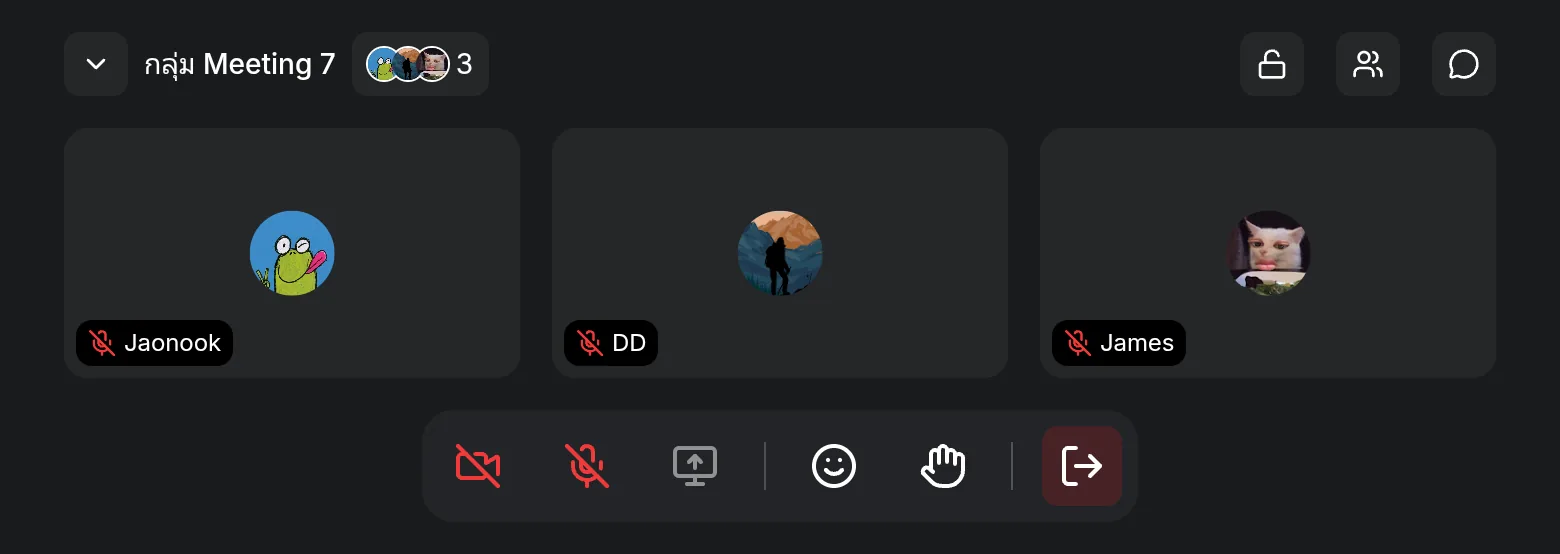
Zyra Works Alongside Google Meet, Not Instead of It
Google Meet is very good at what it was built for: meetings with a start and end time, outside participants, an agenda, and a link you can send to a client or partner right away. Most teams already have Meet and should keep using it for meetings like that.
Zyra is an office that stays open during the day, not a meeting room you have to schedule. Used together, Meet handles meetings with an agenda, and Zyra handles short questions, seeing who is free, and the work that happens between meetings. There's no reason to pick one and drop the other.
Start This Week With Three, Not All Nine
Don't try to change your meeting culture in a day. Pick the three that hurt most, for example: every meeting needs an agenda, shorten meetings to 25 or 50 minutes, and end each one with the name of an owner. Try them for two weeks, then ask the team which meetings could disappear.
In the meantime, keep a workspace open for the things that shouldn't be meetings. Teams of up to 25 members can start using Zyra for free in the browser, with nothing to install.
Start using Zyra for free, for teams of up to 25 members
Frequently Asked Questions
Do we have to give up video calls to run effective online meetings?
No. Video calls are still the right fit for decisions that need a live conversation and for meetings with people outside the team. What to cut back are meetings held for updates that could be written as a message, and small matters that someone could simply walk over and ask about.
How short can an agenda be?
Short enough that, when you read it, you know what will be decided and who needs to read the document beforehand. Three to five lines are usually enough. A ten-item agenda in a 25-minute meeting is a sign it should be split into separate meetings.
What should we do when people are always late?
Send the agenda and documents with the invitation, take live notes that latecomers can read, and start on time even if the room isn't full. Waiting for everyone teaches the whole team to arrive late next time.
If the team already has Google Meet, do we still need a workspace?
Meet is still used for scheduled meetings. An online workspace is for the time between meetings. The two can coexist. Read the overview at online office.
Does the camera have to be on in every meeting?
No. Set it as a team rule. Having cameras on helps when you need to read reactions, but keeping them on all day causes fatigue and doesn't always make the work better.
Try Zyra with your team
Free for up to 25 members. It runs in your browser, so there is nothing to install.