
Fifteen Groups, One Important File, and a Message at 10 p.m.
A hypothetical: "Khwan" runs an online clothing shop with a team of twelve. (LINE is the messaging app most people in Thailand already use.) Customers message the shop's LINE account, which is convenient and is a channel they already have open. That isn't the problem. The problem is that there are fifteen internal groups: sales, warehouse, content, "urgent," "really urgent," and one nobody remembers who created.
A pattern file requested by the factory was sent in the warehouse group in the afternoon. Two hours later, stickers and parcel photos had buried it so deeply that nobody could scroll back to it. At 10 p.m., her manager messaged Khwan privately about a fabric color that needed an answer by the next morning. She replied because she was afraid work would pile up, without knowing whether this was more urgent than anything else or just convenient for the sender at that moment.
The next morning, nobody could find the file, and nobody was sure which color had been agreed.
LINE isn't a bad app. Thais use it so well that internal work, customers and personal life all end up in the same place. This article is about chat rules, etiquette and managing notifications, not about choosing a whole toolset. That is already covered in remote work tools for SMEs.
Why Do Work Groups Overflow When Everyone Means Well?
LY Corporation wrote in a December 2025 article that LINE has about 54 million users in Thailand, roughly 80% of the population. That is why customers and suppliers are on LINE. Moving customers off it wholesale is not advice that works for a shop like Khwan's.
The overflow starts when one group serves as a file store, a decision log and a place for casual chat all at once. Microsoft's 2023 Work Trend Index, which surveyed 31,000 people in 31 countries including Thailand, found that 62% spend too much time searching for information. Looking at time inside Microsoft 365 apps, the average user spent 57% of their time communicating in meetings, email and chat, compared with 43% creating in documents, spreadsheets and presentations. The 57 and 43 figures are time in Microsoft 365 products, not answers from the 31,000-person survey. But the direction matches the days when you have to scroll back for an old file in a group.
There is another layer: working hours. Under Section 23/1 of Thailand's Labour Protection Act (No. 8) B.E. 2566 (2023), employees who work off-site under an agreement have the right to decline contact outside normal working hours, unless they have agreed in writing in advance, according to a summary by the Public Relations Office, Region 2. Details and legal cautions are in work-from-home law. That article isn't legal advice, but it helps ensure that after-hours chat rules aren't seen as mere manners.
Chat Rules That Work for Thai Teams
Be Clear About Where LINE Fits
Keep LINE for what it does best: customers, suppliers, and emergencies that need to reach a person. Internal work that must be searchable later shouldn't live only in a LINE group.
Write this rule as a short message pinned in the group. It doesn't need to be a long manual. For example: "Files we'll reuse go in the shared folder, and we send the link, not the original file, in the group," and "If it isn't urgent today, write it in the work channel and reply tomorrow morning."
Name Urgency So the Whole Team Uses the Same Words
When every message looks urgent, none is. Use no more than three levels that the whole team understands in the same way.
- Today: If it isn't answered within today's working hours, other people's work stops.
- This week: Can be answered in the work channel, with no private message.
- When convenient: Information for awareness only. No reply needed.
Don't use the bare word "urgent." If something can wait until tomorrow, the person messaged at 10 p.m. has a rule to point to, instead of guessing the sender's mood.
Files in One Place, Groups Carry Only Links
Stickers don't make LINE unusable. They make a group's timeline a poor filing cabinet. Set up a central company folder, and in the group send a link with a one-line file name. Anyone who joins the group later can still open it from the folder, without scrolling past three days of parcel photos.
Set Quiet Hours, and Respect Them
Agree on a period when internal groups aren't used for anything that doesn't meet the "today" criterion, for example after 7 p.m. until 8 a.m., and on days off. If your company has an off-site work agreement under Section 23/1, the right to decline contact is a matter of law, not just a group agreement. Don't write a rule that cuts into that right.
Customer messages that arrive outside working hours are a separate channel. The shop can still receive them without tagging the whole team.
One Topic, One Place
If a fabric price is discussed in the warehouse group, settled in a private chat, and confirmed in the urgent group, nobody will know where the conclusion is. Keep the final conclusion in one place. Other places can link to it, but there must not be different versions of the conclusion.
Work that can wait without needing a reply this minute fits the rhythm of asynchronous work. Read more in asynchronous work.
Short Etiquette Points That Reduce Lost Focus
Tag the whole group only when everyone really needs to know. The person tagged should be the person who has to act, not whoever is nearby in the member list. Don't send ten messages of one word each in a row, because every message is one notification. Combine them into a single message.
And don't use private chat for secret instructions. Work that others need to see must be somewhere others can open.
Move Internal Matters Somewhere Searchable
The rules above work even if your team doesn't have a new tool yet. But if internal work is still stored in LINE groups, the rules will strain, because that space wasn't built for threads and work files.
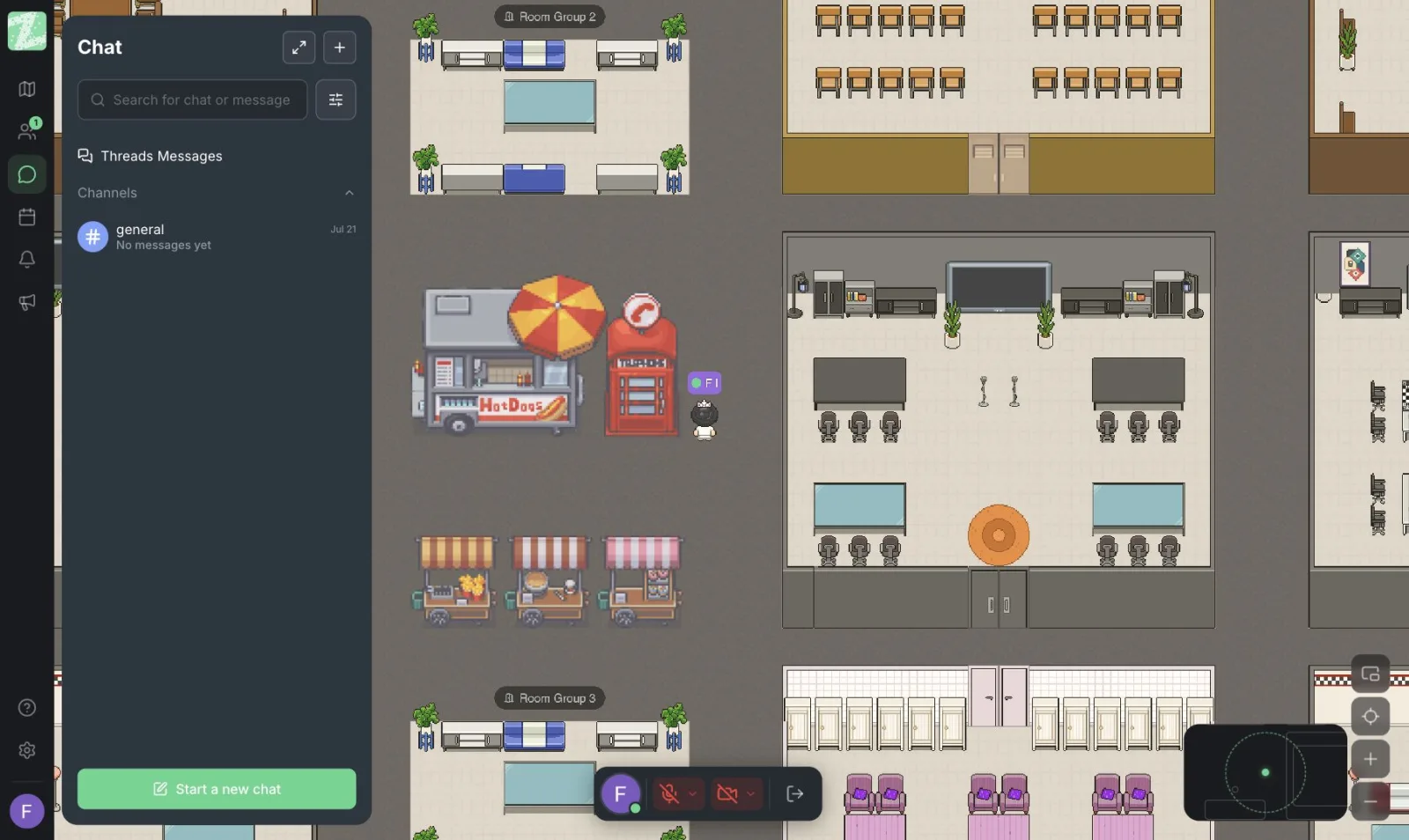
Zyra World puts work discussion in channels and threads by topic, with files shared in the same place. For things that need a live conversation, you can walk your avatar over using distance-based audio, with no meeting to schedule and no late-night private message to ask one sentence. LINE can stay fully in use for customers and personal matters. You don't need to give it up.
The overall picture of this kind of space is in online office.
When to Pair It With Google Meet
Some topics in a group run long because they should be a ten-minute conversation, not fifty lines of messages. Google Meet suits that, when there's an agenda and people who need to decide together. Send a meeting link, talk it through, and put the conclusion back somewhere searchable.
Zyra is a place that stays open during the day, for questions you can walk over and ask, and for threads you don't want sinking under stickers. It doesn't replace Meet, and it doesn't replace LINE for customers. Each does a different job.
Start With the Group That Hurts Most
Don't announce an overhaul of all fifteen groups in one day. Pick the one group where files go missing most often, move the files to a central folder, send links instead, and pin the three urgency levels at the top of the group. Do that for a week, then move on to the next group.
If you want a place dedicated to internal work, you can open Zyra in the browser with nothing to install, for teams of up to 25 members.
Start using Zyra for free, for teams of up to 25 members
Frequently Asked Questions
Do we have to stop talking about work on LINE?
Not entirely. LINE still suits customers and matters that need to reach someone quickly. The rule that helps is not letting internal files and decisions live in a group chat alone.
Can a manager message outside working hours?
It depends on the agreement and the type of work. Section 23/1 gives employees working off-site under an agreement the right to decline contact outside normal working hours, unless the employee has consented in writing beforehand. Read the framework in the law article, and check with a specialist before using it as company policy.
How do we know what is truly urgent?
Use the terms the team has defined together, not the sender's feelings. If every message says urgent, go back and redefine what urgent means.
How are channels different from LINE groups for daily work?
A LINE group is a single timeline where topics mix. Channels are split by topic, and threads keep replies under the topic they belong to. So you don't have to hunt for files among stickers.
Should notifications always be on?
Turn them on only for the channels you've agreed are about today. Let the rest pile up and check them in rounds, for example before noon and before the end of the day. Replying late to something not urgent isn't irresponsible, as long as the rule is written down.
Try Zyra with your team
Free for up to 25 members. It runs in your browser, so there is nothing to install.