Cameras Off, No Questions, and Little Remembered
Here's a hypothetical. "Pam" runs in-house training twice a year at an accounting firm. The last one was a three-hour video call. The trainer lectured through eighty slides, with ten minutes for questions at the end. Nobody turned on a microphone, and cameras went off in the first fifteen minutes because some people's home internet couldn't keep up.
Splitting into groups took ten minutes of sending breakout-room links. People were confused about which group they were in. Back in the main room, nobody could report back fully, because the small groups hadn't been given a clear task. The following week Pam asked two participants which steps they remembered. Both could only recall that there was a slide about risk.
The problem isn't that people don't want to learn. The whole format is listening, and the chance to do something was squeezed into the end of a session when everyone was already tired.
Why People Remember So Little When They Only Listen
Freeman and colleagues' 2014 study in PNAS was a meta-analysis of 225 studies comparing undergraduate science, technology, engineering and mathematics (STEM) students. Students in lecture-only classes were 1.5 times more likely to fail than students in active-learning classes, and exam scores in active-learning classes improved by about 6%. This is data from university STEM classrooms, not a survey of employee training in Thailand, so it shouldn't be turned into a retention percentage for your company's workshop. But it supports what organizers see for themselves: doing something helps people get through the material more than sitting and listening.
Another force that quiets online training rooms is video-call fatigue. A Stanford Report article dated 23 February 2021 summarized Jeremy Bailenson's work, which identified four factors in long video calls: eye contact at too close a distance, seeing your own face all the time, limited movement, and the mental load of having to send your own signals. He stressed that he did not mean to blame any particular platform. Details are in video call fatigue.
Microsoft's 2023 Work Trend Index, which surveyed 31,000 people in 31 countries including Thailand, found that 58% said brainstorming is hard in virtual meetings. A workshop that asks everyone to "think together" in a room where all you see is a grid of faces often goes quiet for this reason, not because the topic is poor.
Design for Doing, Not Sitting
Keep the Lecture Shorter Than You'd Like to Make It
Twenty minutes of explanation followed straight away by a task beats eighty minutes followed by questions. If the content has to run long, split it into blocks, with a small deliverable between blocks, such as writing down one risk in your own department, rather than more listening.
Give Small Groups a Task and a Note-Taker
Before splitting up, everyone should know three things: what to do, what to bring back, and who takes notes. A prompt like "go and discuss" leaves a breakout room silent. A prompt like "pick one item from the worksheet and write four lines explaining why" gets something back.
Don't Let Grouping Eat Into Content Time
Rehearse how people get into their groups before the day. If you use breakout-room links, send the group lists in advance. If you use a space where people can walk to a corner, name the corners on the map. That way people don't spend the first ten minutes figuring out where to go.
Build in Real Breaks
Three hours straight wears out both the trainer and the participants before the most important task. Include a ten-minute break that gets people away from the screen, not one where the slides stay open and people go answer chat messages.
Have the Trainer Walk Around, Not Only Wait for Reports
Reporting in front of the whole room makes groups that didn't finish even quieter. A trainer who drops in on groups while they work helps more than hearing a brief report at the end, because course corrections can happen while people are still working.
Activity ideas that people are willing to speak up in are in online team building activities. Some work as a fifteen-minute icebreaker at the start of a session, without turning it into a full day of training.
Separate Rooms as Group Tables, Not One Lecture Room
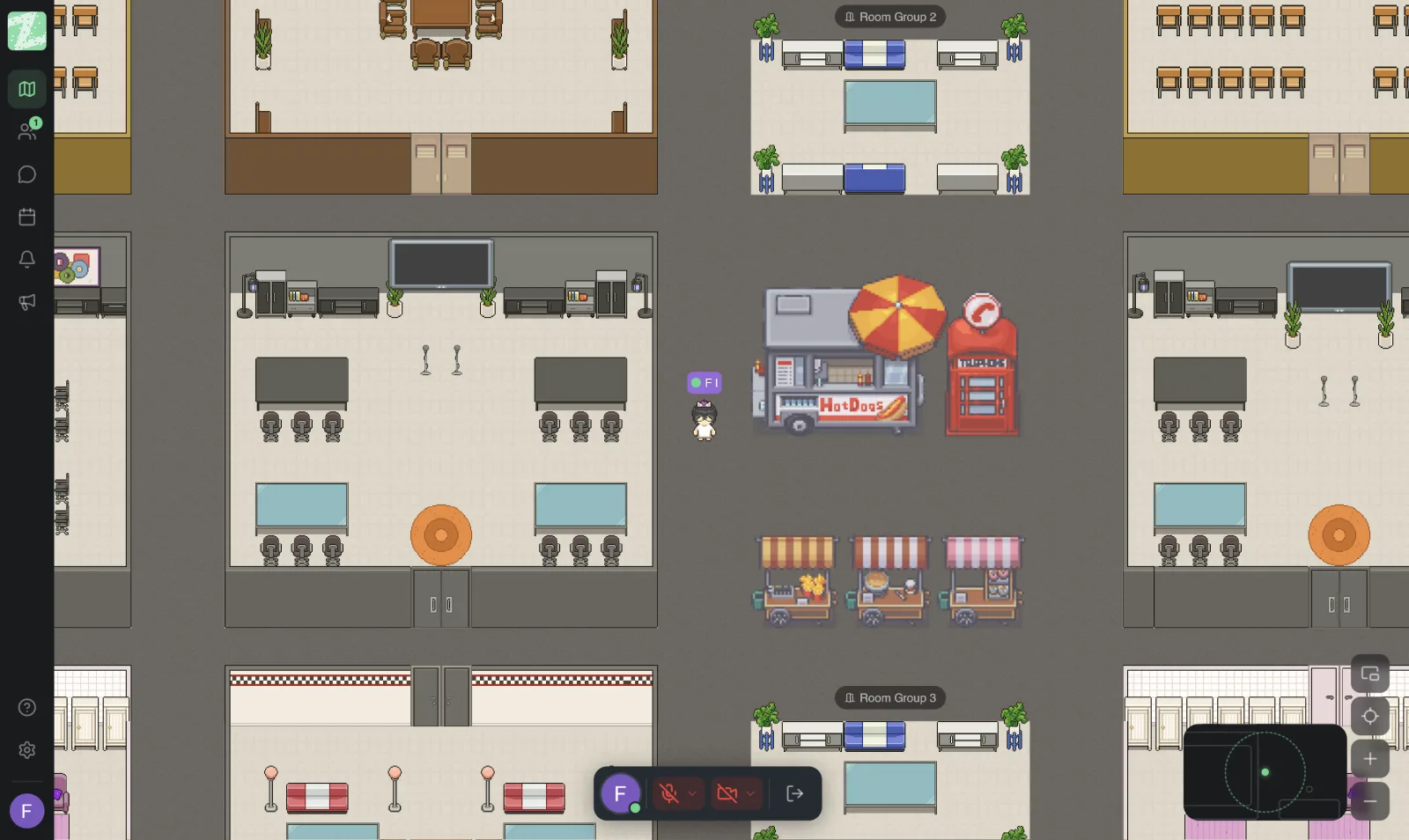
Zyra World lets you set up separate rooms as small-group tables. Each table talks by distance using proximity audio, without taking turns on the mic with four other tables. The trainer can share their screen, then walk over to visit each table while people work on the worksheet. People who join the workspace can see which corner to go to.
Design around the small-group task first. If you need to invite people from outside the organization, separate the part everyone listens to together from the hands-on part, and choose an entry route those people can actually use. For an overview of the space, see online office, and for details see the Plan page.
It works in the browser with nothing to install, so participants who aren't comfortable installing software don't lose time before the start.
Open With Google Meet When the Job Is Listening Together
If the first hour sets the scene so that everyone hears the same message, and there are outside guests who are comfortable with a scheduled link, Google Meet does that job well. Send the agenda and the pre-reading, and stop on time.
Then move the people who need to do hands-on work to group tables in Zyra Meet. You don't have to carry both the lecture and the table visits in one link. The two can be used together in the same day of training.
A Half-Day Schedule People Can Still Respond To
The example below suits a team of ten to twenty. It's a framework to adapt, not a schedule every company must follow.
- Arrival In the first fifteen minutes, state the goal for the day in one sentence, and say what each person will hand in before the end.
- Setting the scene No more than twenty minutes, in Google Meet or the main room. Show only the slides needed to do the first worksheet.
- First round at small tables About forty-five minutes. The trainer walks around and doesn't wait for every group to come back and report first.
- Break Ten minutes, truly away from the screen, with no slides left open.
- Second round at small tables Take the work from the first round and revise it, with a narrower task than before.
- Wrap-up The last twenty minutes. Each table says only what it decided and what is still open, not the whole process.
One day before, send just three things: pre-reading of no more than two pages, the table list, and an entry link that opens from a phone. On the day, don't suddenly send ten new files. People will spend their time opening files instead of doing the worksheet, and the first ten minutes will go on questions about which one to read.
If people from outside the organization join only for the scene-setting part, end that part on time and then move your team to the tables. Don't leave guests stuck in a circle that is working, because everyone will go back to speaking formally and the worksheet won't move.
What You Can Measure Afterward Without a Long Survey
Ask three questions on the same day, before people forget. First: what did you get done in this session? Second: where are you still confused? Third: what will you use next week? Four lines of answers are worth more than a five-star satisfaction score, because they show whether work actually happened.
The following week, have the team lead repeat the third question in a one-on-one. If nobody has used anything, the problem may be the worksheet task, not people turning their cameras off. Adjust the worksheet next time before adding lecture hours, and keep these three answers to compare against the next session, so you know whether you fixed the right thing or just made the day feel more fun.
Before You Send the Next Invitation
Write the small-group task before you make more slides. If there is still nothing participants must hand back, then that session is still a lecture. Cut it shorter or add one worksheet.
You can set up group tables on Zyra for teams of up to 25 people.
Start Using Zyra Free for Teams of up to 25
Frequently Asked Questions
What is the first thing to do to get people taking part in online training?
Give participants something they can hand in during the session, not ten minutes at the end, and let small groups know what to hand in and who takes notes. Turning cameras on alone doesn't create participation.
How long should an online workshop be?
Blocks of no more than ninety minutes, including hands-on work, followed by a break. Running three hours straight without a break reduces both memory and willingness to answer.
How is a breakout room in a meeting tool different from a table in an online office?
Scheduled breakout rooms usually require sending links or clicking to split into rooms, and then everyone merges back at one point. Tables in a space you can walk around let the trainer drop in while people work, and several groups can talk at once without taking turns on the mic across the whole room.
How tech-savvy do you need to be to run this?
Participants should be able to join from a browser with nothing to install, and the organizer should rehearse the group entry once before the day. Ten minutes of technical confusion at the start eats the memory of a whole block of content.
Is there still a place for lectures online?
Yes, for material everyone needs to hear the same way, followed straight away by a task. Don't make the whole day listening-only and hope people will remember as much as they would from doing.
Try Zyra with your team
Free for up to 25 members. It runs in your browser, so there is nothing to install.